
Welcome to the sixth edition of the Blackboard 2026 Update Newsletter! In this June edition, we’re highlighting the changes introduced in version 4000.17, designed to enhance the way we teach and learn in the digital environment.
Table of Contents
- Assessments: Feedback at the response level for multiple-choice questions.
- Assessments: Lock response options in a fixed position.
- Announcements: Track student interaction with announcements.
- Automations: Automated feedback reminder notifications.
[1] Assessments: Feedback at the response level for multiple-choice questions.
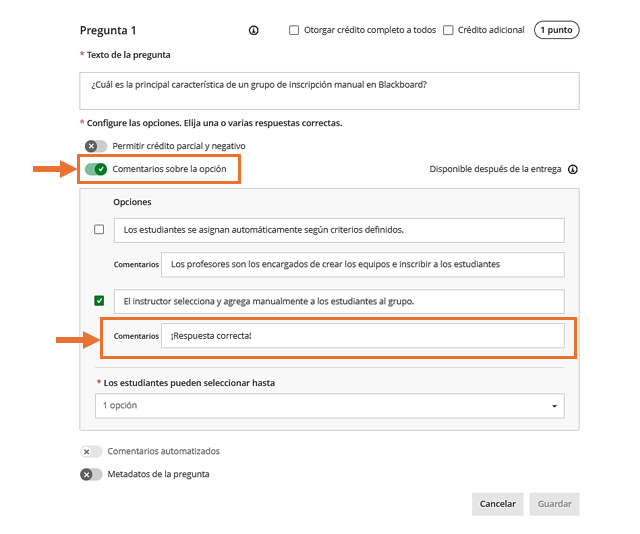
When creating or editing a multiple-choice question, you can now enable the option feedback feature, which displays text boxes for entering feedback beneath each answer choice.
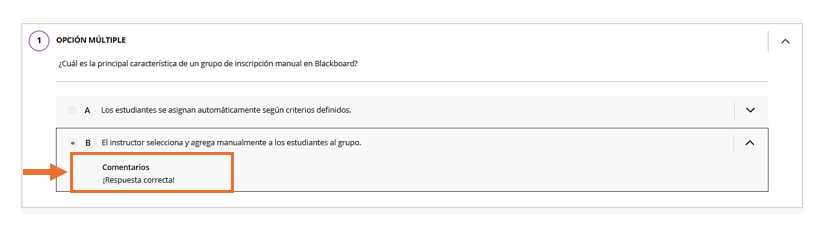
This feedback is written when creating the question, and students can view it once they have completed the assessment.
Student View
[2] Assessments: Lock response options in a fixed position.
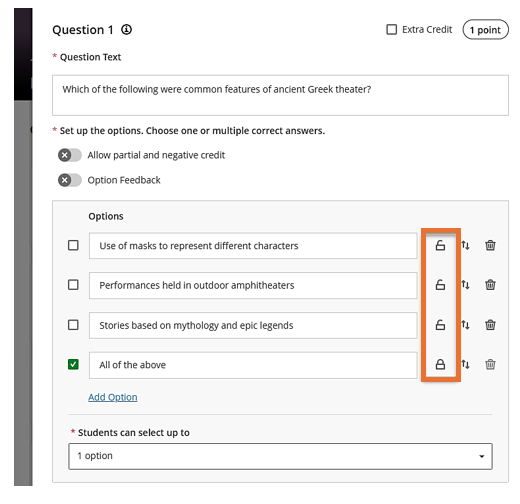
Now, you can pin specific answer choices to a designated position so they remain in place while the other options are randomized. This is useful for choices such as “None of the above” or “All of the above,” which should always appear at the end of the list, regardless of the randomization settings.
[3] Announcements: Track student interaction with announcements.
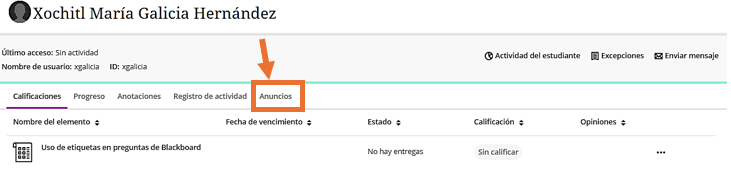
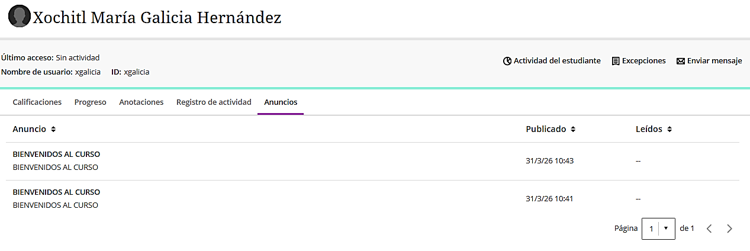
Instructors can now see which announcements a student has and has not read in the new “Announcements” tab on the Student Overview page. This tab complements the existing announcement engagement data by providing an individual student view.
[4] Automations: Automated feedback reminder notifications.
The feedback reminder automation now notifies students more reliably when instructor feedback is available. Reminders are triggered when feedback is published, rather than only when grades are posted.
We hope these changes will be helpful in your daily activities. We invite you to stay tuned for our next update.
Sincerely,
Dirección General de Tecnologías de la Información