
Welcome to the eighth edition of the 2026 Blackboard updates newsletter! In this August edition, we present the changes in version 4000.21, designed to improve the way we teach and learn in the digital environment.
Table of Contents
- Gradebook: Grid View Restructuring
- Content Creation: New Content Editor
- Groups: New Drag-and-Drop Feature
- Groups: Create Multiple Groups at Once
- Notifications: Improvements to Delivery Accuracy
- Discussions: Sorting Controls
- Question Banks: Export Banks
- Tests: Show Feedback at the Response Level (Multiple-Choice Questions)
- Automated Messages: Configure the Sender
- Course Content: Duplicate Items
[1] Gradebook: Grid View Restructuring.
NOTE: For more information about the changes, visit the following link Gradebook | Blackboard Community
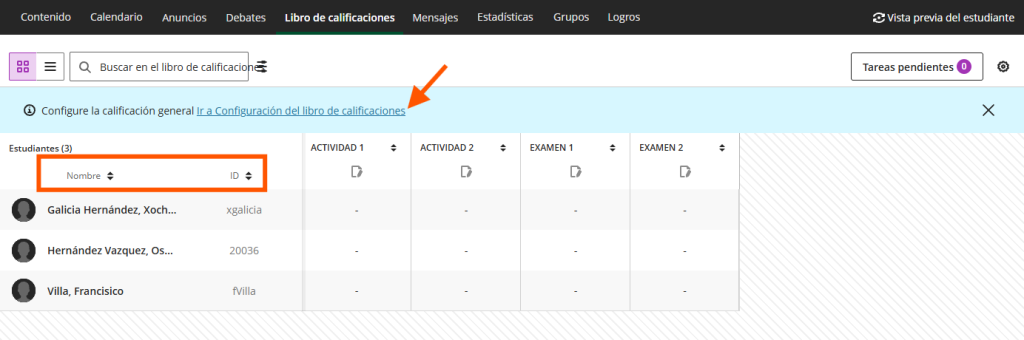
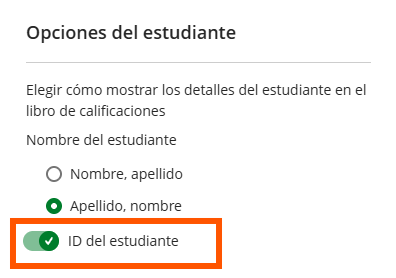
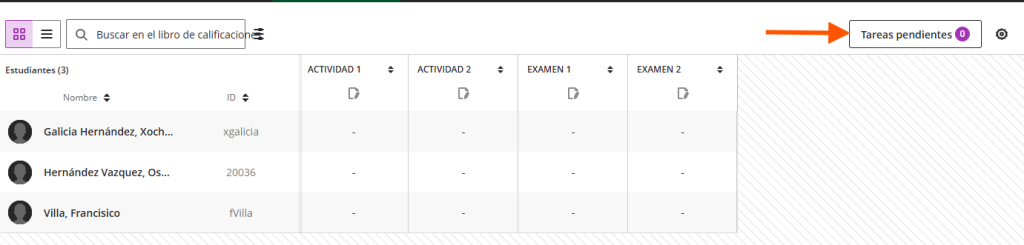
The Gradebook grid view has been restructured, providing a reorganized layout. With this update, you can display the student ID. If it is hidden, click “Go to Gradebook Settings.” With this new grid view, you can also sort the Gradebook by student name or ID.
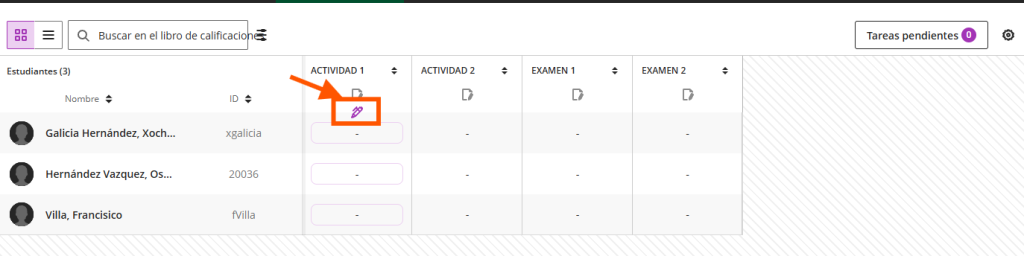
To assign or edit grades directly in the Gradebook, position yourself in the first grading cell of the column and click the pencil icon. You can then modify or enter a grade.
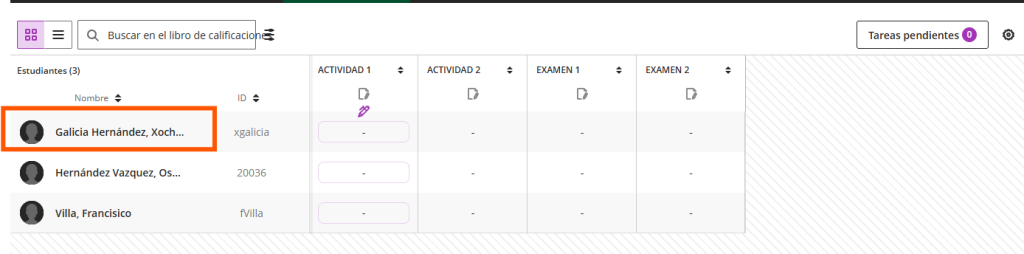
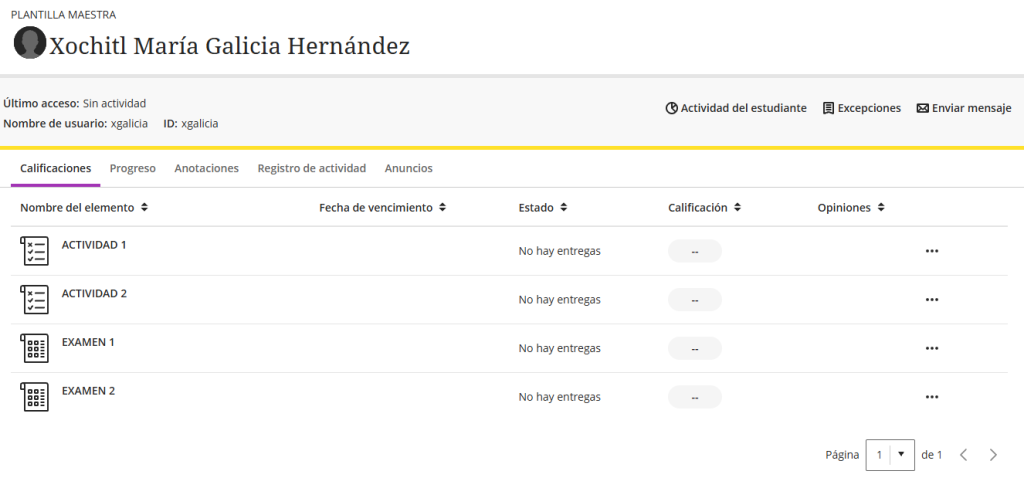
To access a student’s profile, click their name. The individual student page has not changed.
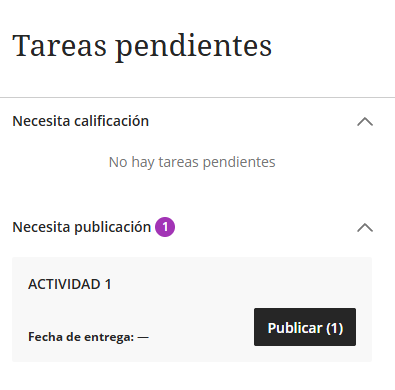
To view the items you still need to grade, go to the upper-right corner of the Gradebook and click the “To Do” button.
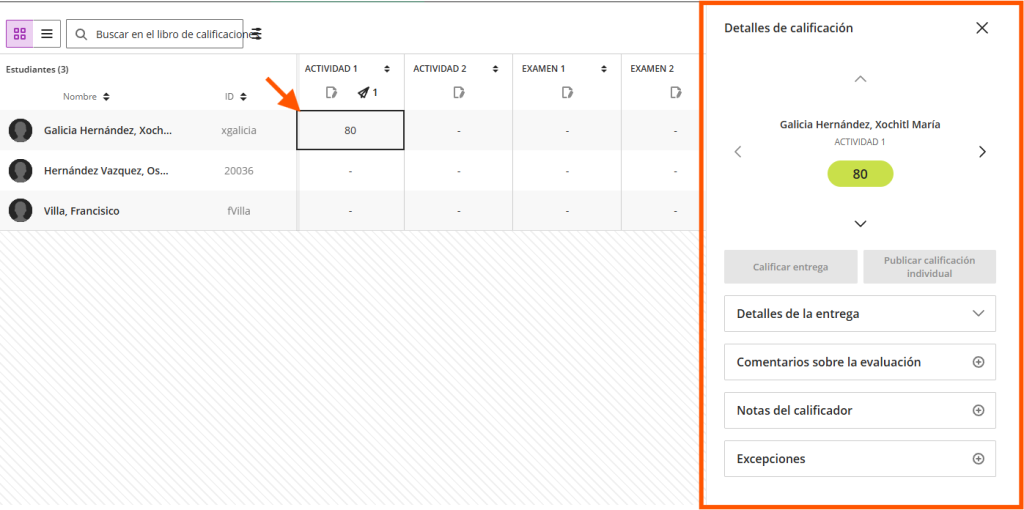
You can review the details of each grade by clicking it. The details you can review are as follows:
- Submission Details
- Assessment Feedback
- Grader Notes
- Exceptions
NOTE: For more information about the changes, visit the following link Gradebook | Blackboard Community
[2] Content Creation: New Content Editor
The new content editor is available to try on the platform. When working with content blocks in Documents, instructors can choose between the new editor and the current editor.
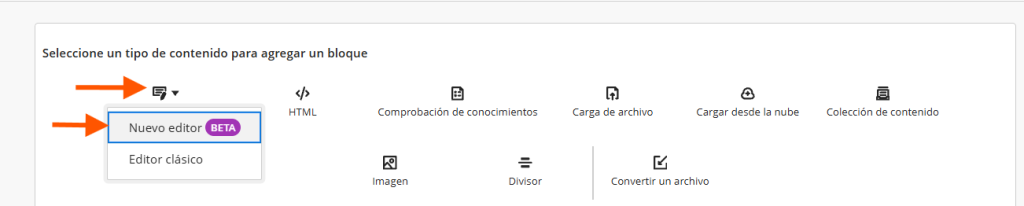
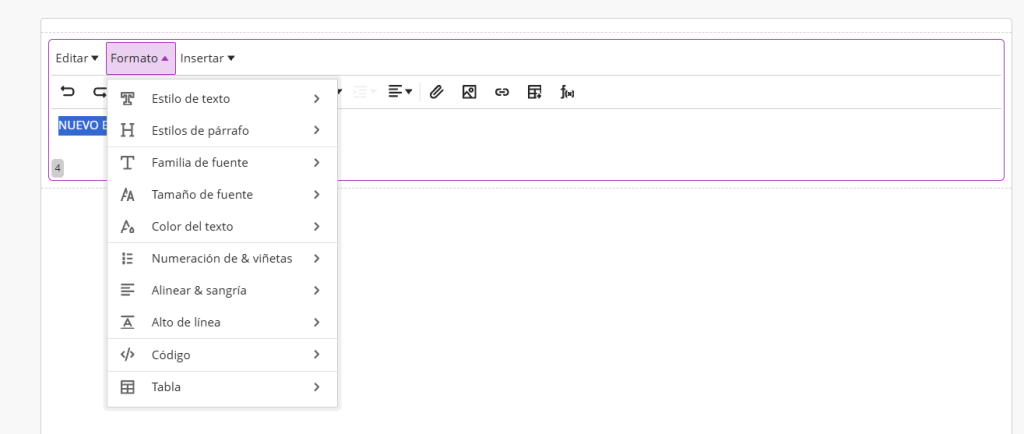
The new content editor features a redesigned toolbar and menu structure.

The Format drop-down tab allows you to edit everything related to the document text.
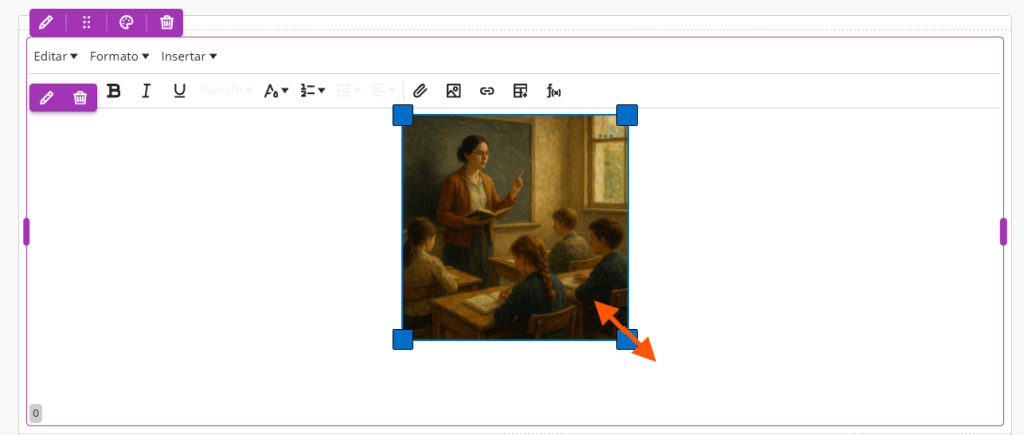
You can now change the dimensions of images within the text editor.
[3] Groups: New Drag-and-Drop Feature
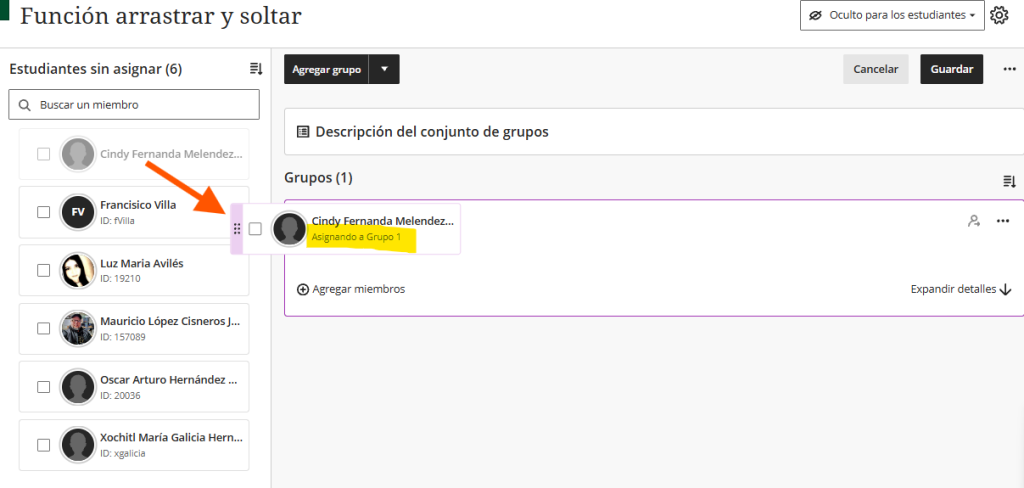
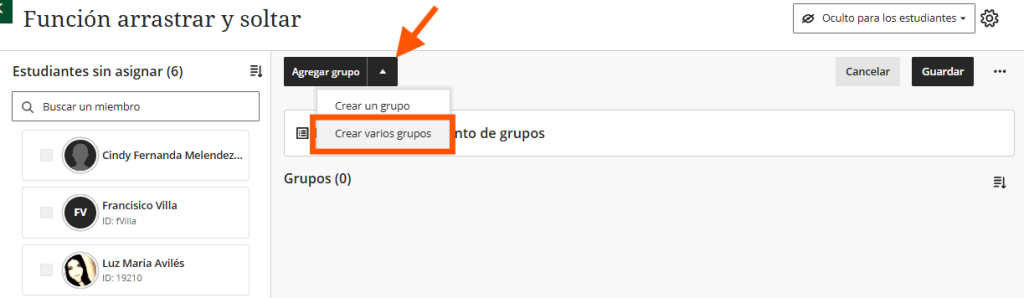
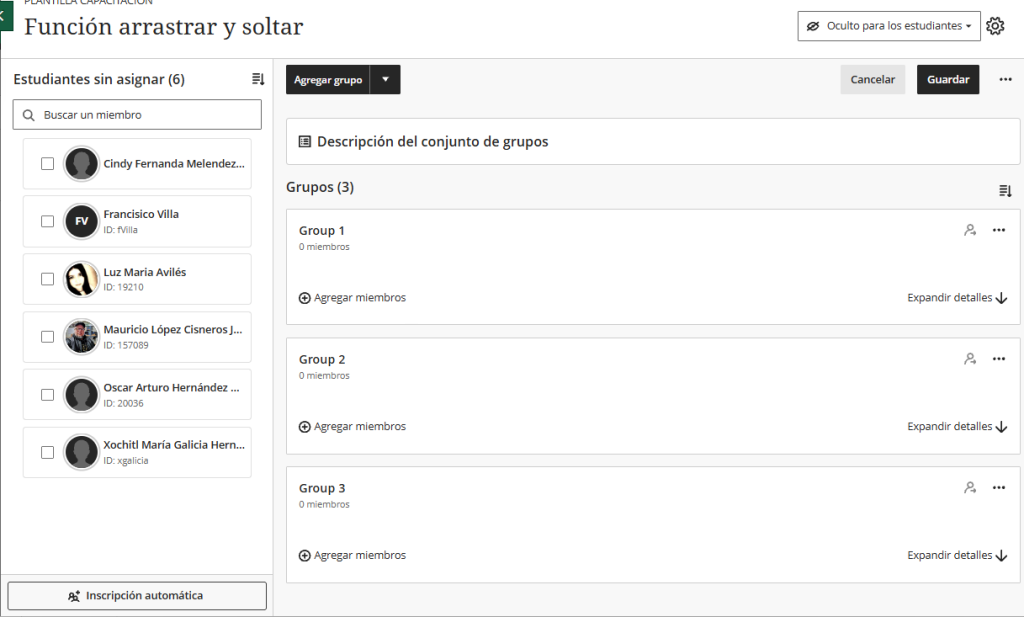
The new drag-and-drop feature for managing group membership allows you to assign and remove students from groups more quickly, without the need for menus or drop-down lists.
[4] Groups: Create Multiple Groups at Once
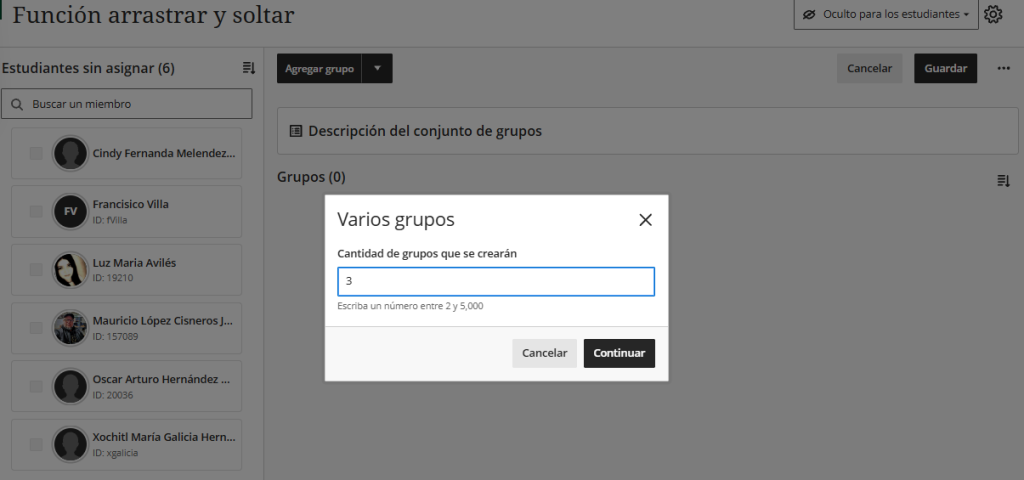
From the group management screen, you can create between two and 5,000 groups in a single step instead of creating them individually.
[5] Notifications: Improvements in Delivery Accuracy
This version includes the following notification improvements:
- Notifications for assigned groups. Students now receive notifications for overdue submissions corresponding to their assigned group.
- Grade updates and changes in summary emails. Summary emails now include notifications when a grade is updated or deleted.
- Announcement emails. Announcement emails are now sent only after the announcement start date is reached and not before the content is visible to students.
[6] Discussions: Sorting Controls
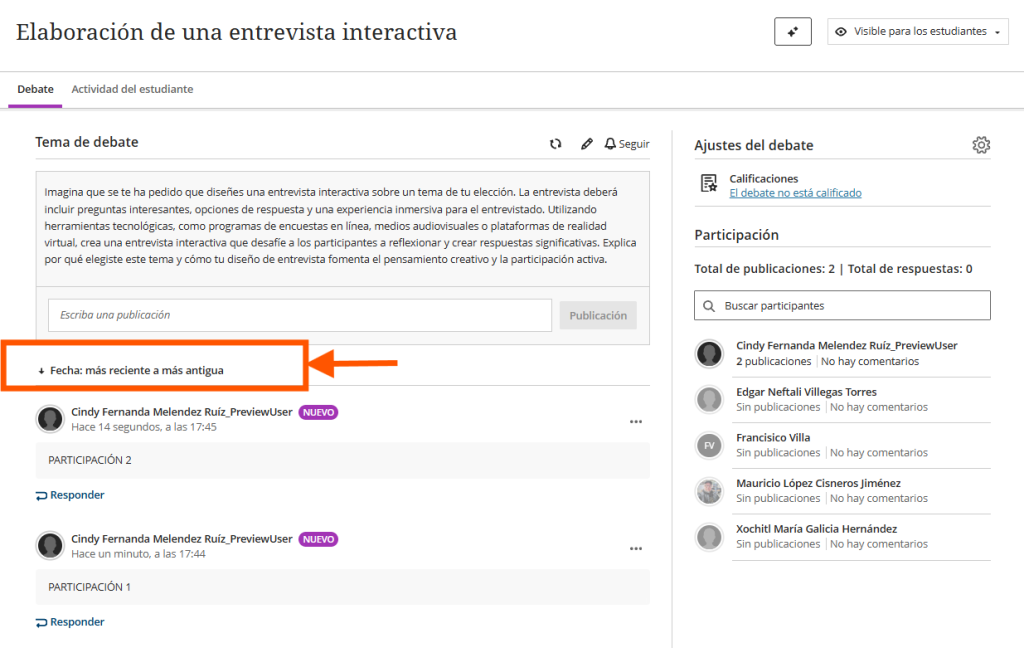
You can now sort forum posts by date: newest to oldest or oldest to newest, making it easier to navigate lengthy discussions.
[7] Question Banks: Export Banks
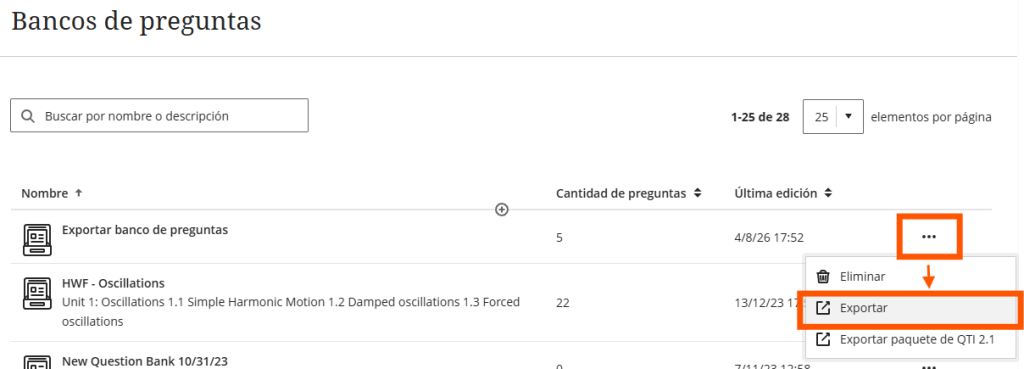
The new feature allows you to export a question bank as a file to a local device. This makes it easier to copy assessment content or share it with other instructors for reuse in different courses.
[8] Tests: Show Feedback at the Response Level (Multiple-Choice Questions)
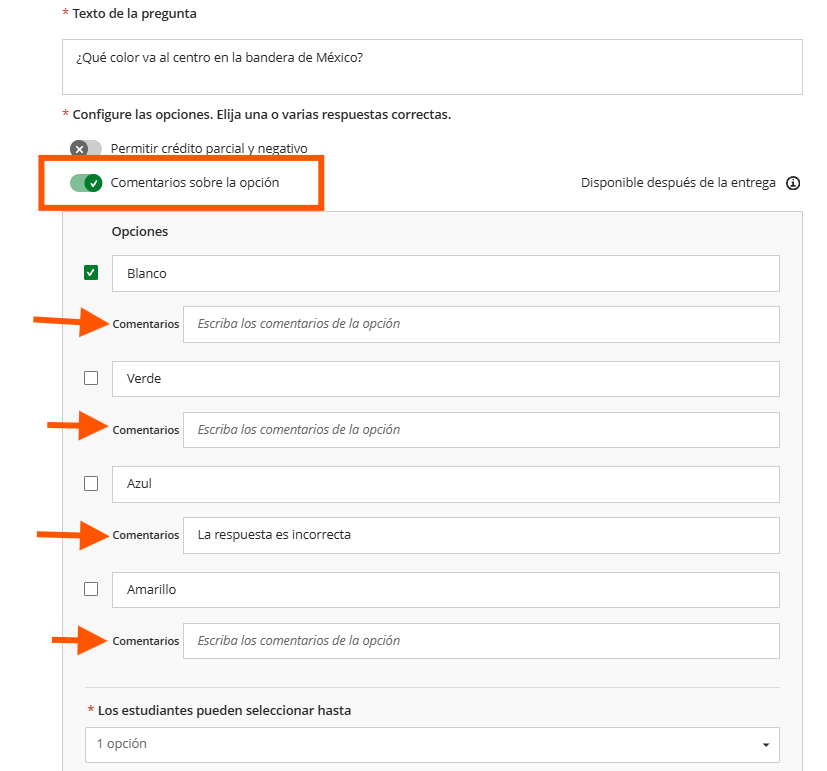
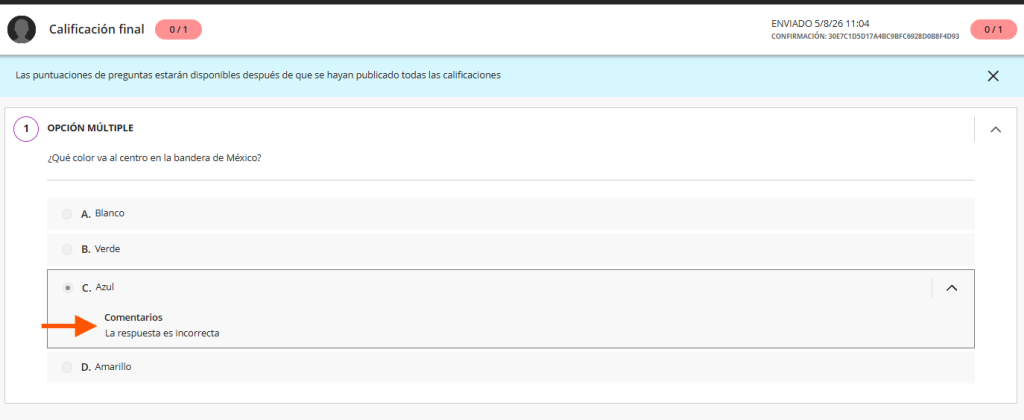
Students can now receive feedback only for the options they selected in multiple-choice questions. This gives them a more precise view of their answers without revealing feedback for options they did not select.
[9] Automated Messages: Configure the Sender
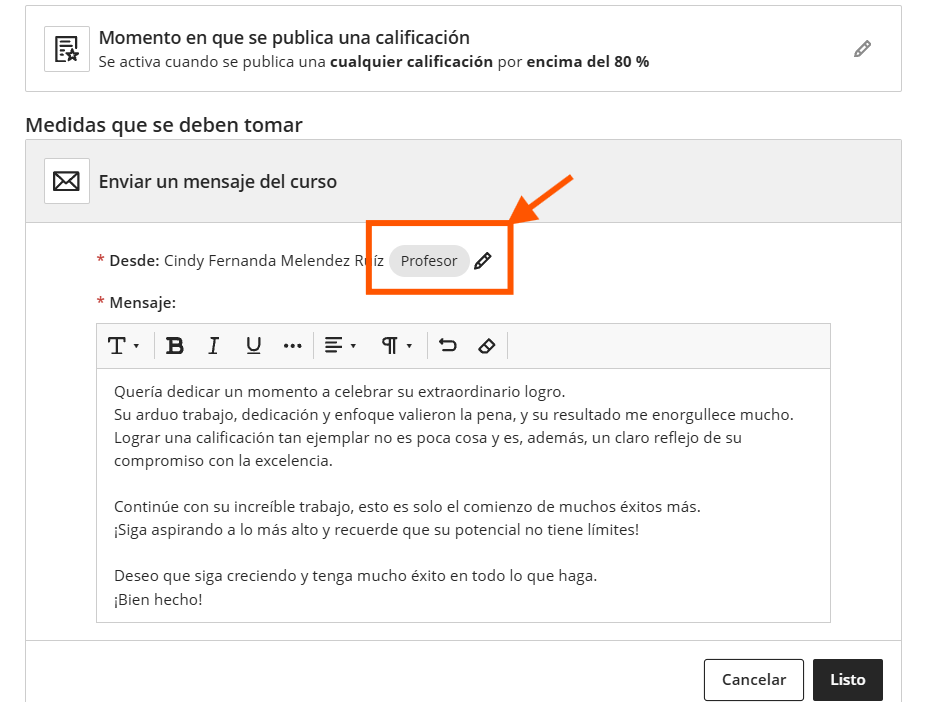
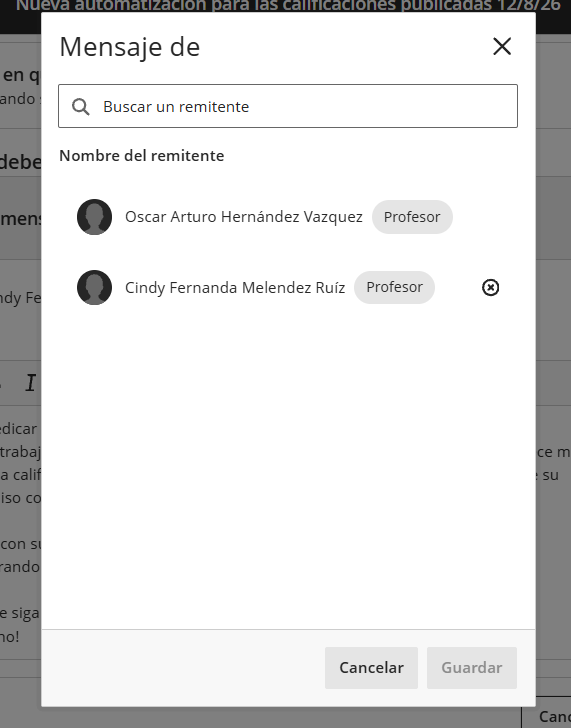
You can now configure who appears as the sender of automatically generated messages. Each automation has an author (the person who created it) and a sender (whose identity appears on all messages it generates).
[10] Course Content: Duplicate Items
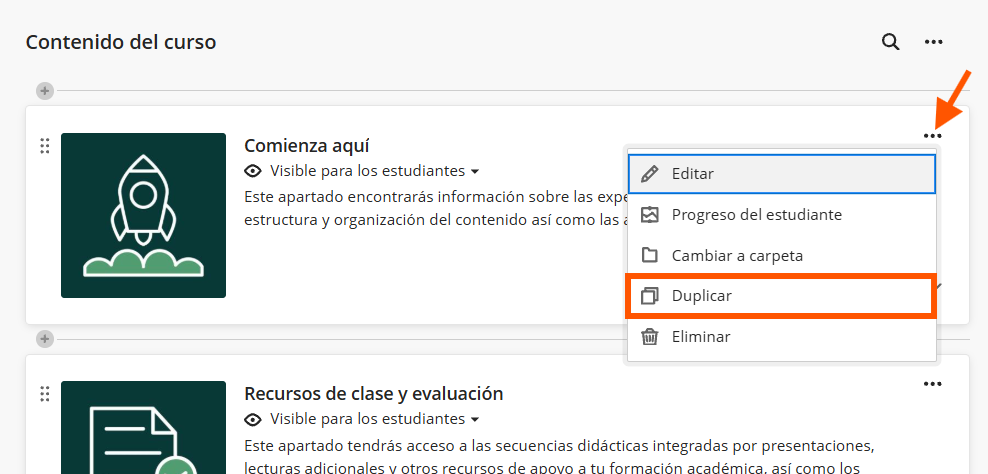
The new “Duplicate” tool allows instructors to clone items on the Course Content page. The copy retains all the content and settings of the original.
We hope these changes will be very helpful in your daily activities. We invite you to stay tuned for our next update.
Sincerely,
General Directorate of Information Technology