
Welcome to the third edition of the Blackboard 2026 Updates Bulletin! In this March edition, we present the changes introduced in version 4000.10, designed to enhance teaching and learning in the digital environment.
Table of Contents
- Documents: AI powered knowledge checks. AI powered knowledge checks.
- Messages: Improvements to course messages. Improvements to course messages.
- Discussions: Second participation requirement and due date. Second participation requirement and due date.
- Tests: Question title repositioned. Question title repositioned.
- Multiple choice questions: Changes to partial credit. Changes to partial credit.
- Gradebook: Anonymous grading by question. Anonymous grading by question.
- SafeAssign: Increased file size limit and metadata analysis. Increased file size limit and metadata analysis.
[1] Documents: Al- powered knowledged checks.
When inserting a Knowledge Check into a document, you can now choose between two options: Write my question or Generate question automatically.

When you select Generate question automatically, the Artificial Intelligence panel opens.
When using the Generate question automatically option, you can define the questions by completing the following fields:
- TDescription text.
- A selector to choose course content.
- A complexity level control.
- Advanced options, including the question language selector.
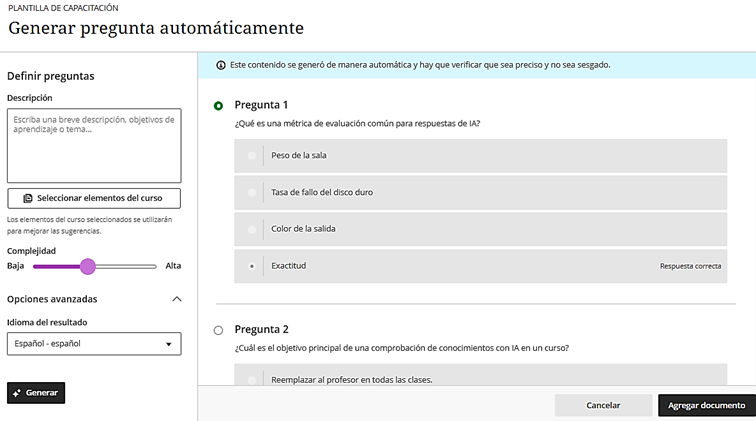
The system generates four multiple-choice questions at a time. Each generated question is displayed with a selection button, allowing you to choose one and add it to the document.
[2] Messages: Improvements to curse messages.
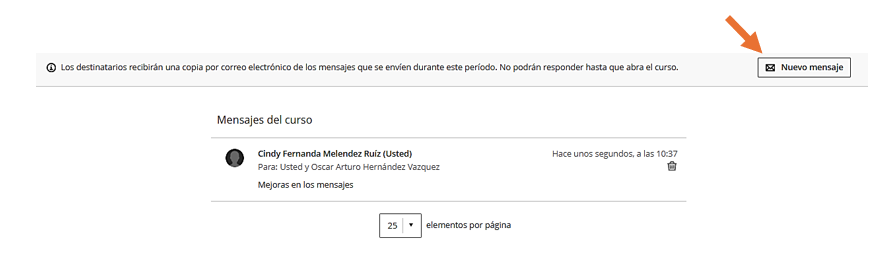
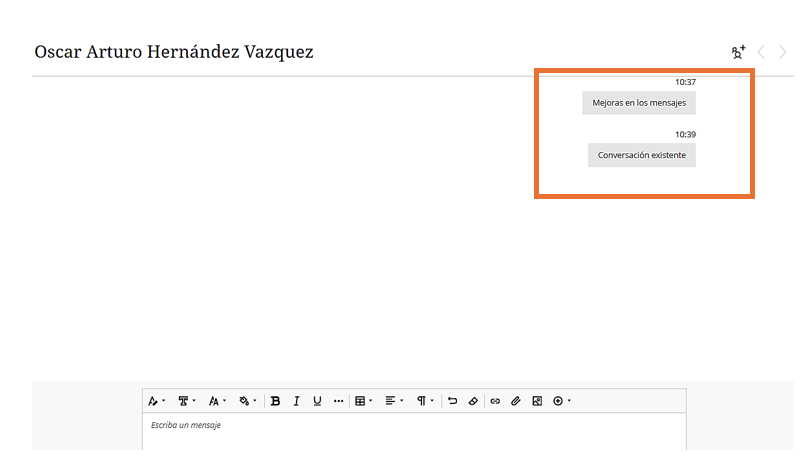
Messages are created and sent as before. If messages already exist between users, the system adds new messages to those existing conversations.
[3] Discussions: Second participation requeriment and due date.
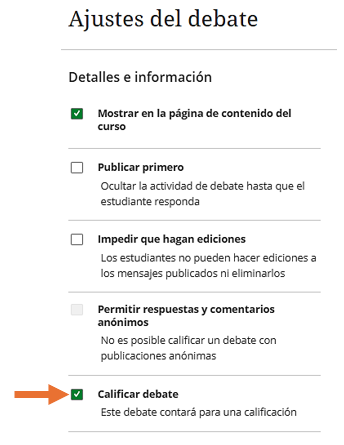
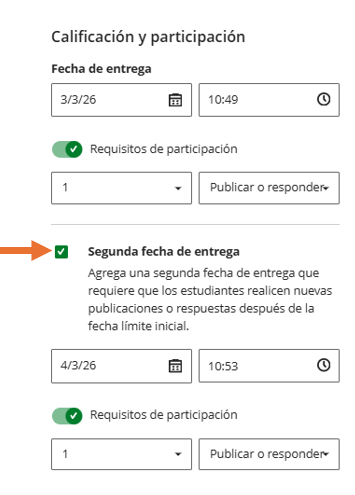
It is now possible to set the number of posts and replies students must complete by two separate due dates.
You must select the Grade Discussion option to add due dates and participation requirements. Enter a date and time under Due Date and specify the participation requirements. When you select Second Due Date, an additional due date is added with its own participation requirements.
[4] Tests: Question title repositioned.
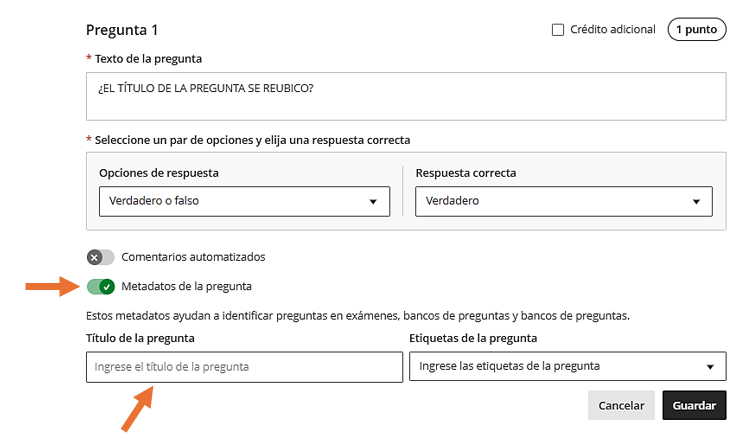
The Question Title field, which was previously located at the beginning, has been moved to the Question Metadata section. This change helps avoid confusion and ensures that question titles remain an optional element.
[5] Multiple choice questions: changes to partial credit .
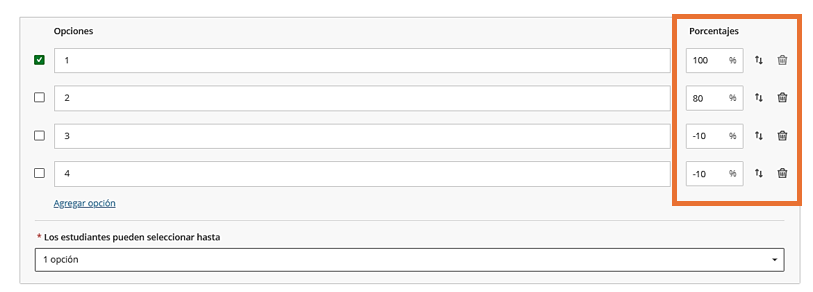
The system now allows you to assign any partial credit value to each option within a range of -100% to +100%. You can also enter positive credit values for options that are not marked as the correct answer.
[6] Gradebook: Anonymous granding by question.
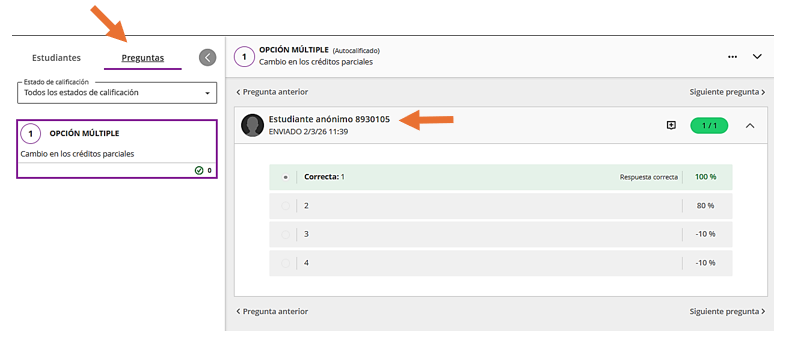
Compatibility with anonymous grading for assessments in Flexible Grading has been expanded. Instructors can now grade anonymously by question, in addition to grading by student.
When grading anonymous assessment submissions in Question View, the interface replaces the student’s name, avatar, and ID with an anonymous identifier and a blank avatar.
[7] SafeAssign: Increased file size limit and metadata analysis.
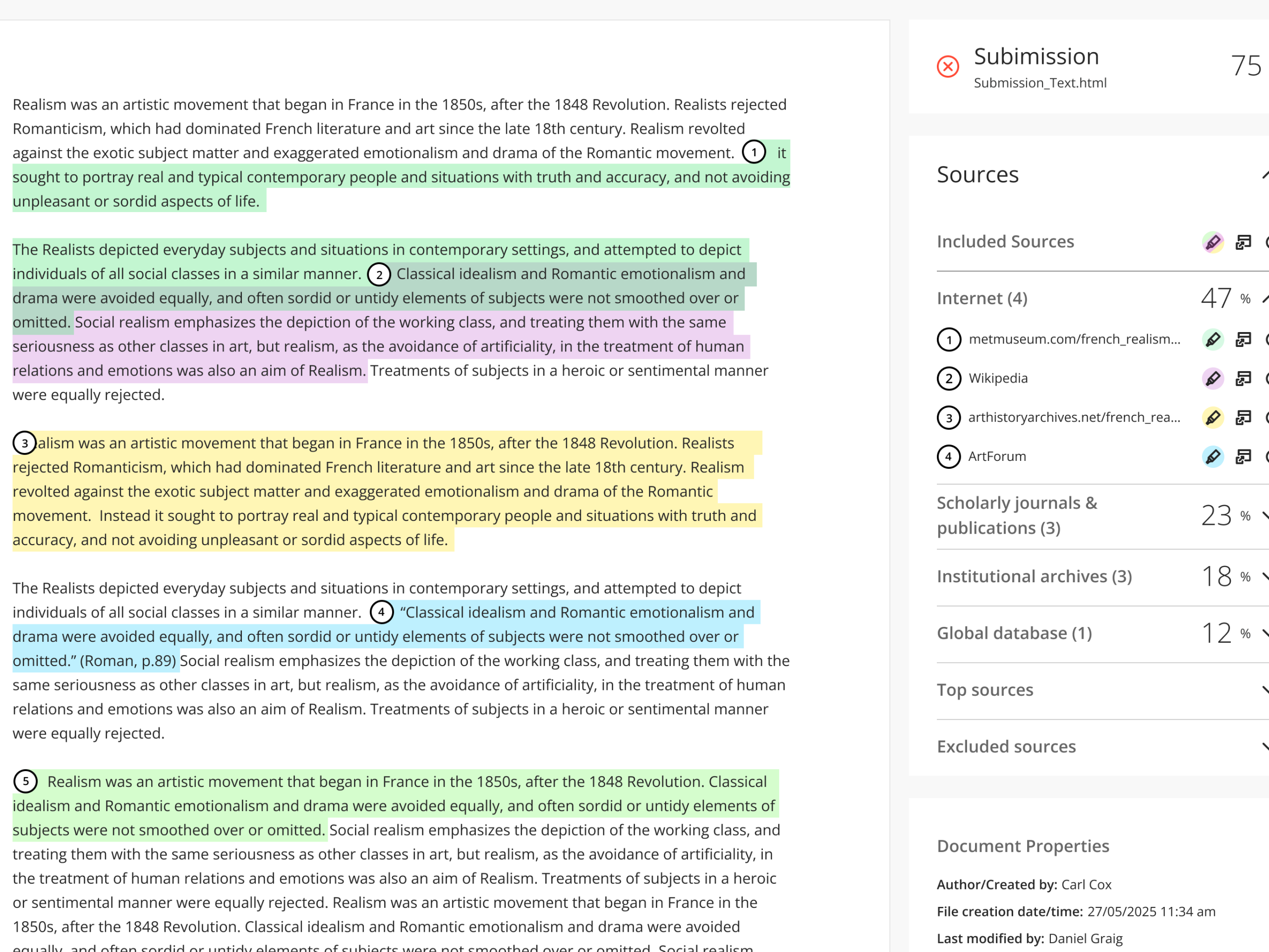
The maximum file size for SafeAssign has increased from 10 MB to 25 MB. It also now includes a new layer of metadata analysis in the Originality Report. In addition to the traditional text-matching search, instructors can access contextual information in the new “Document Properties” section.
We hope these changes will be helpful in your daily activities. We invite you to stay tuned for our next update.
Sincerely,
Office of Information Technology