
Welcome to the ninth edition of the 2026 Blackboard Updates Newsletter! In this September edition, we present the changes included in version 4001.0, designed to enhance teaching and learning in the digital environment.
Índice
- Content Editor: Paragraph Indentation
- Content Editor: Responsive Toolbar
- Content Editor: Keyboard Shortcuts and Navigation
- Content Editor: Tooltips
- Assignments and Tests: Restrict Accepted File Types for Submission
[1] Content Editor: Paragraph Indentation
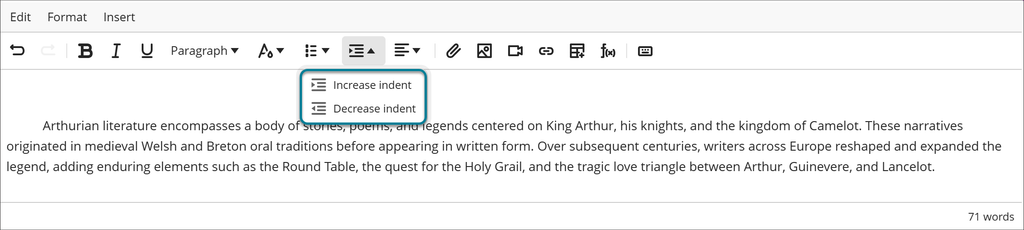
The various indentation styles can be applied directly in the editor using the Increase Indent and Decrease Indent options, available in the toolbar or under the Format menu. The editor applies indentation based on the cursor position.
[2] Content Editor: Responsive Toolbar
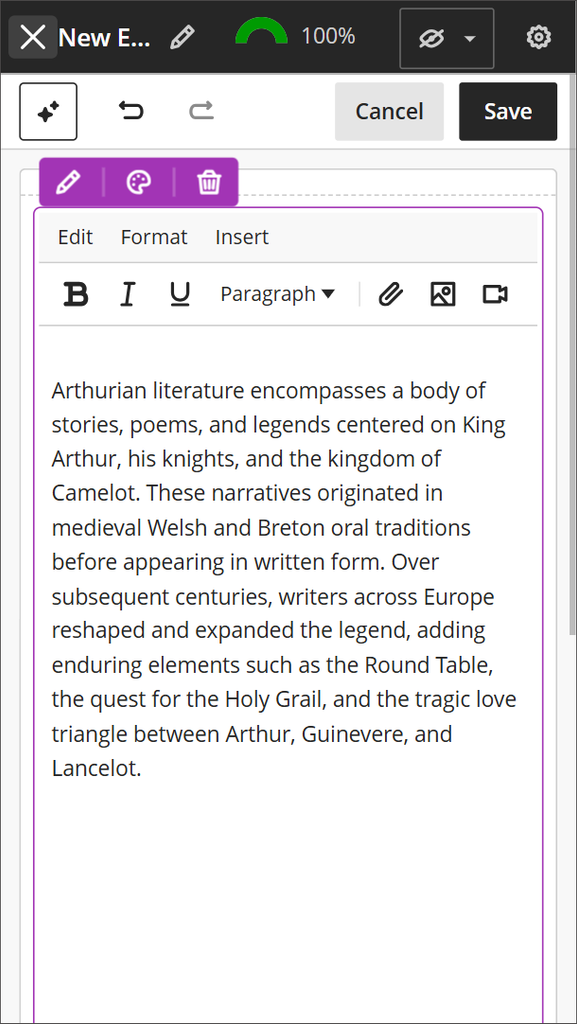
The editor toolbar now remains on a single row, regardless of the screen size or the width of the editing area. As space becomes limited, the editor hides the less frequently used toolbar buttons, while all actions remain available through the menus.
[3] Content Editor: Keyboard Shortcuts and Navigation
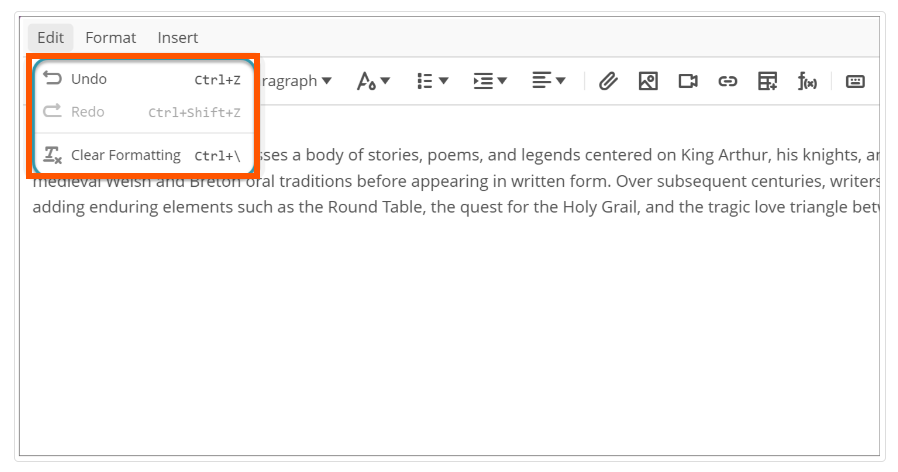
The Edit and Insert menus now display more keyboard shortcuts alongside the most common actions, making them easier to discover for keyboard users and those learning how to use the editor.
[4] Content Editor: Tooltips
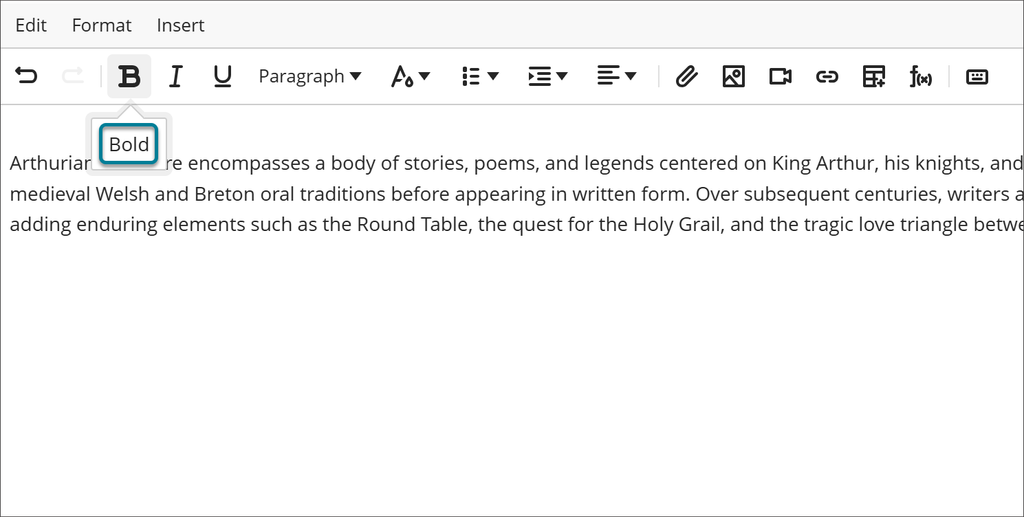
Toolbar tooltips now appear below each button instead of overlapping the menus.
[5] Assignments and Tests: Restrict Accepted File Types for Submission
It is now possible to specify which file types will be accepted for assignment submissions. Students are informed of any restrictions before submitting a file and receive a warning message if they attempt to upload a file type that is not allowed.
We hope these changes will be of great help in your daily activities. We invite you to stay tuned for our next update.
Sincerely,
Dirección General de Tecnologías de la Información