
Welcome to the fourth edition of the 2026 Blackboard Updates Newsletter! In this April edition, we present the changes included in version 4000.12, designed to enhance teaching and learning in the digital environment.
Table of Contents
- Discussions: Review of both due dates in multiple views in Blackboard
- IA Conversation: Message limit
- Assignments and Assessments: Select the submission type.
- Assignments and Assessments: Choose the sorting option for student names.
- Assessments: Improvements to multiple-choice questions.
- Gradebook: Adjust individual grades in group submission.
- Automations: Copy automations when copying courses
[1] Discussions: Review of both due date in multiple views in Blackboard.
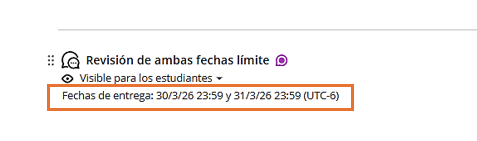
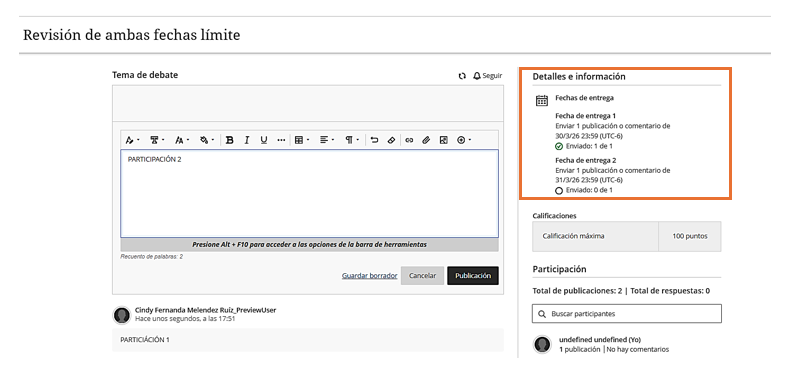
When a discussion is created with two due dates and participation requirements, both sets of requirements appear on the Course Content page, the Discussion pages, and in the Gradebook.
Both Due Dates View – Content Area
Both Due Dates View – Student Participation
Student Gradebook View

[2] IA Conversation: Menssage limit.
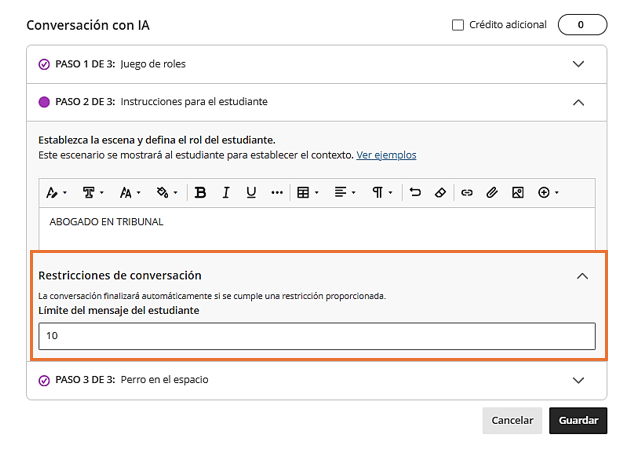
AI conversations can now be controlled by setting message limits, allowing you to manage the length of AI conversations.
[3] Assignments and assessments: Select the submission type.
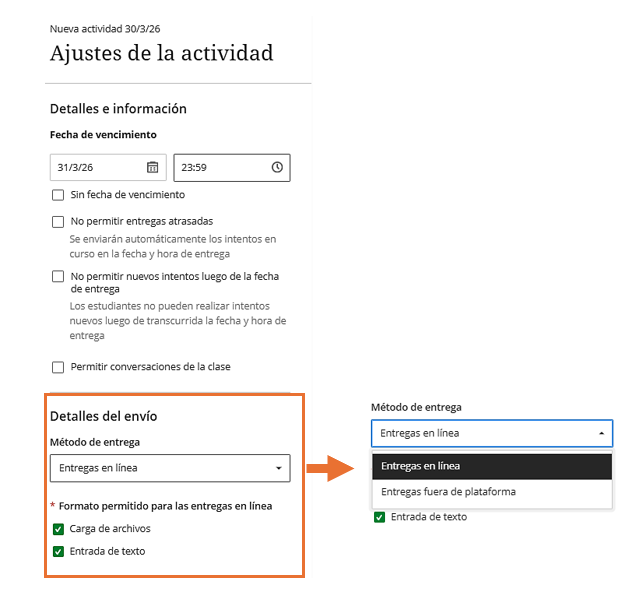
When creating or editing an assignment, you can define the expected submission type to guide students in submitting their work. Selecting a specific submission type simplifies the student experience.
The available options are: File Upload and Text Entry.
[4] Assignments and Assesments: Choose the sorting option for student names.
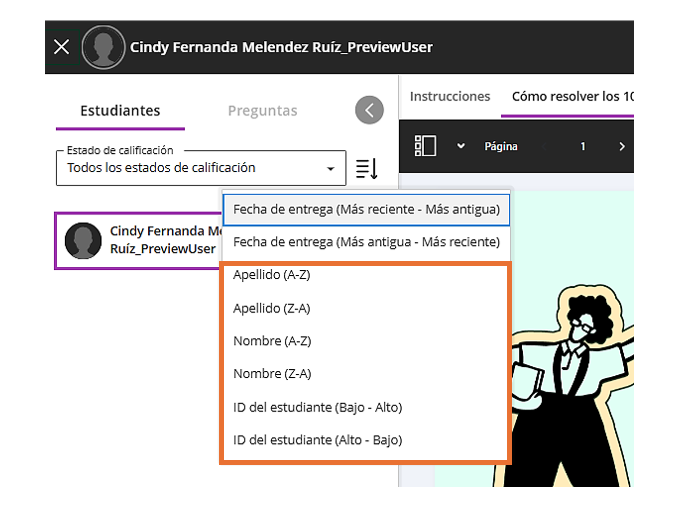
When reviewing assignments and assessments, you can now sort students by first name, last name, or ID.
[5] Assessments: Improvements to multiple-choice questions.
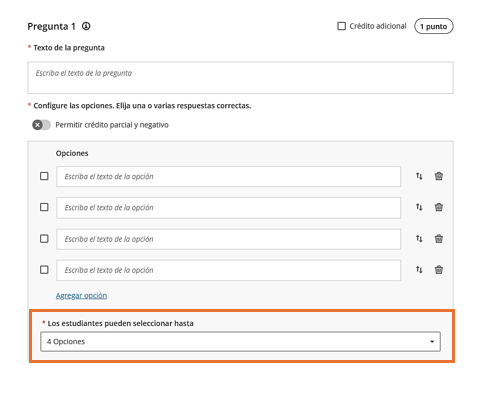
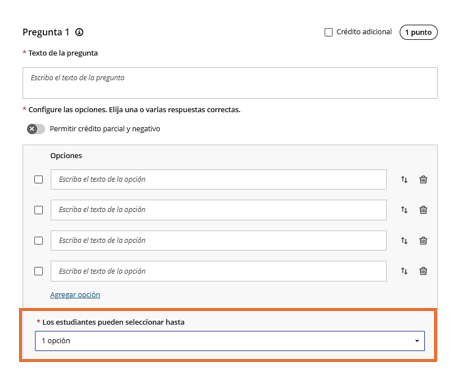
For multiple-choice questions, the default number of options students can select has been changed from four to one. This setting can be modified when editing the question.
Antes
Ahora
[6] Gradebook: Adjust individual grades in group submissions.
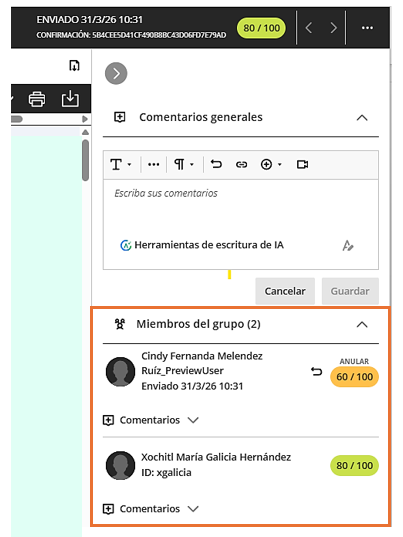
It is now possible to adjust the grades for each student’s attempts within a group submission. This update allows grades for group submissions to reflect each student’s individual contribution, even when the work is submitted as a single group attempt.
[7] Automations: Copy automations when copying courses.
Automations are now copied when courses are copied, restored, or imported. They are always copied in an inactive state and must be reviewed and activated in the destination course.
We hope these changes will be helpful in your daily activities. We invite you to stay tuned for our next update.
Sincerely,
Office of Information Technology